
Weather for
the whole way.
The forecast changes along the road. See it before you leave, find your time to go, and know what’s ahead.
Free iPhone beta · iOS 26+
A little foresight. A better prepared drive.
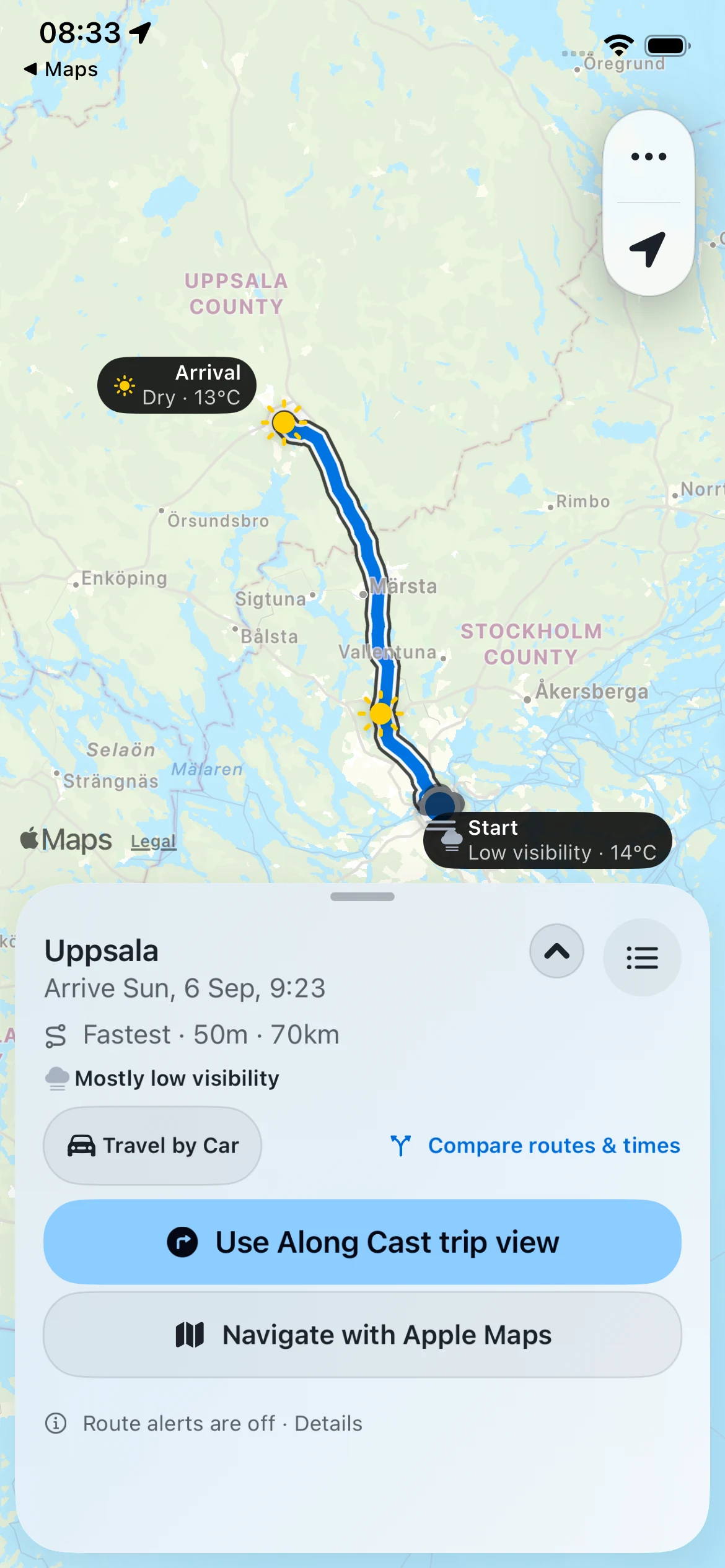 View screenshot
About these screenshots
Your destination is only part of the forecast.
- Apple Maps routes
- Open-Meteo forecasts
- Swedish road context
01 Before you leave
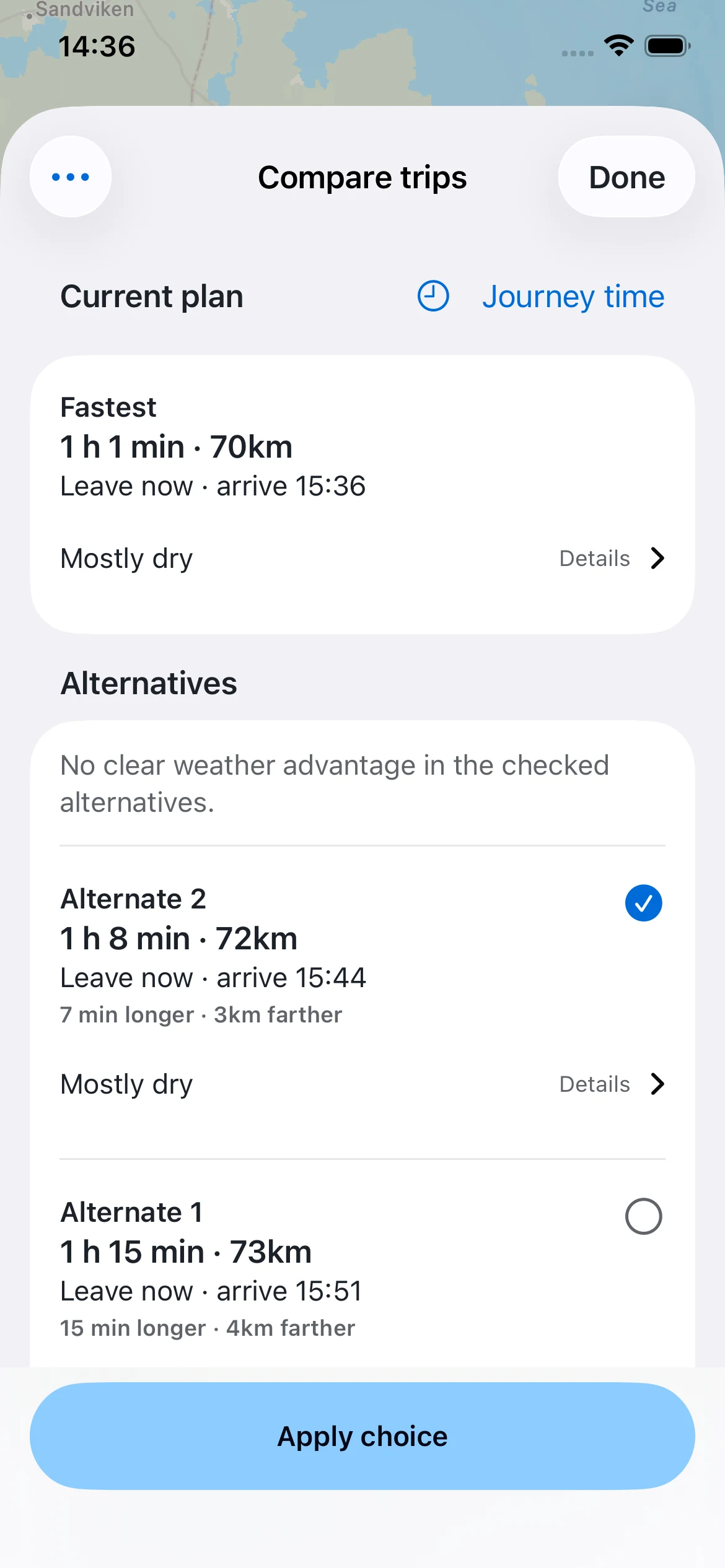
Find your
time to go.
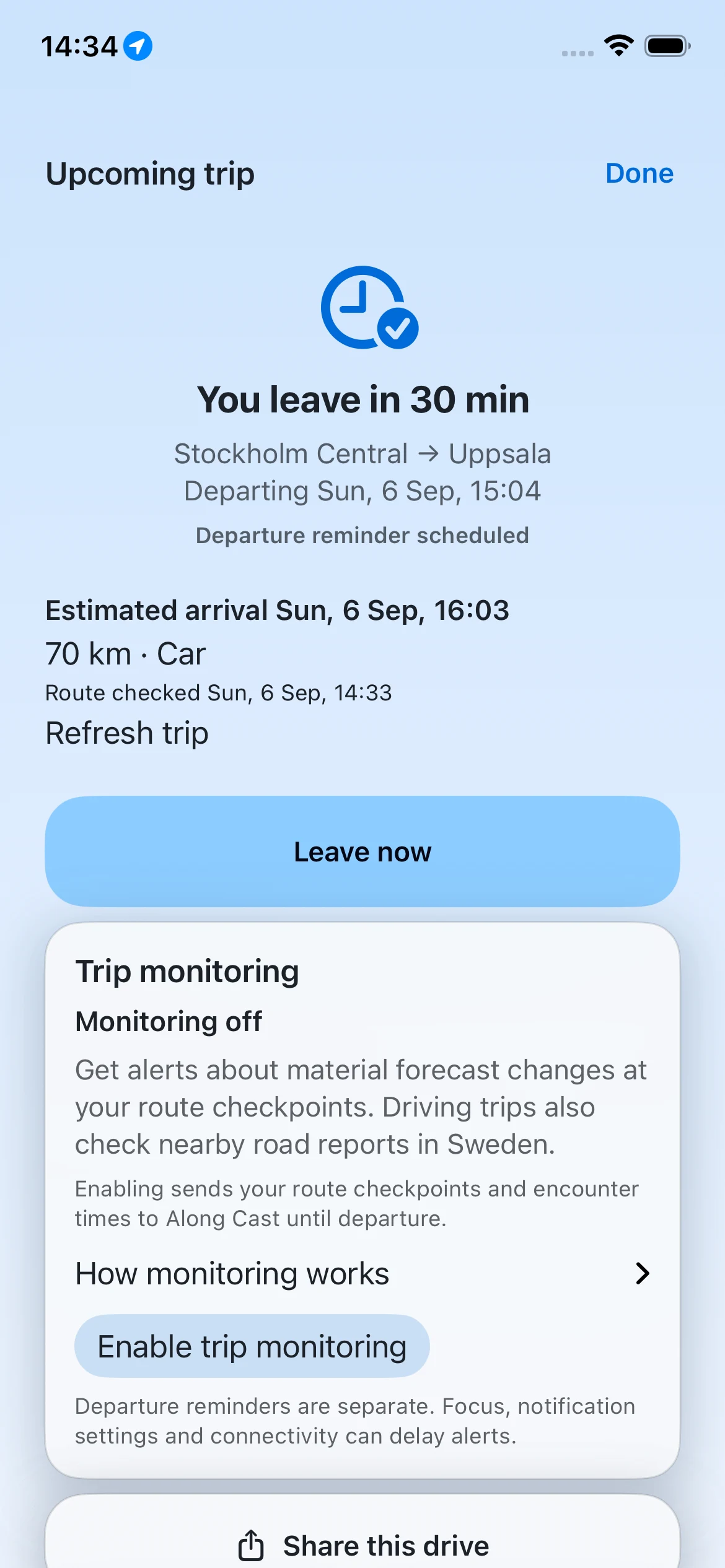
A later start can mean different weather. See what changes along the way, then choose the plan that works for you.
Compare the forecast, daylight and travel time. The choice stays yours.
 View screenshot
 View screenshot
 View screenshot
02 Along the road
Know what’s
ahead.
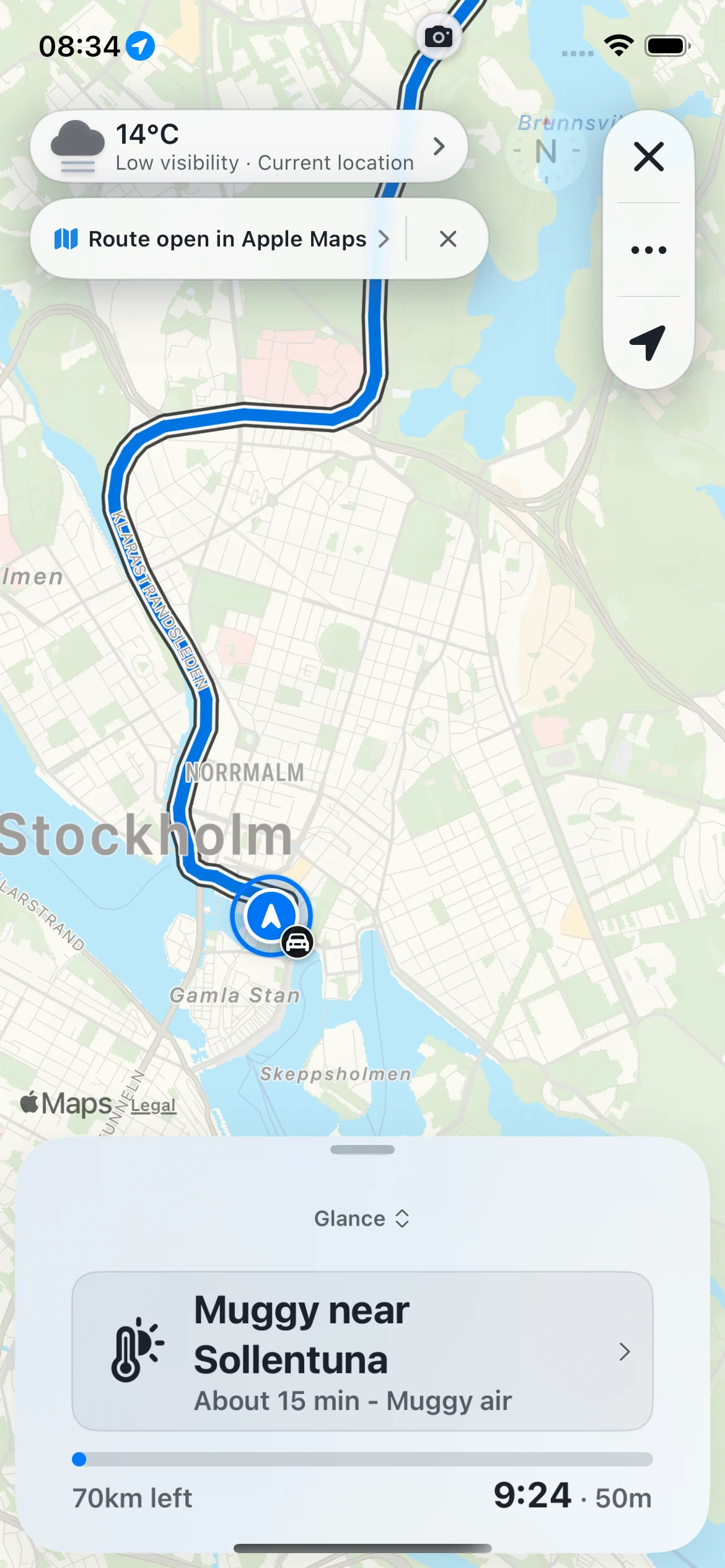
Follow the forecast through the places you’ll pass. In Sweden, road reports and cameras add another view of the journey where covered.
Open a report for its location, details, and source. Explore before you set off, or let a passenger take a closer look.
Apple Maps handles the turns.
Open your next leg in Apple Maps for navigation. It calculates its own route, which may differ from the Along Cast plan.
 View screenshot
03 Keep in touch
Your journey.
One simple link.
Send the route and its weather to someone who’s waiting for you. They can open it in a browser, without installing the app.
Live location is a separate choice. Turn it on when you want to share progress, and stop it when you’re done.
You decide what to share.
Anyone with the link can open it. Links expire and can be revoked; precise endpoints are obscured.
Read about sharing and privacy ↗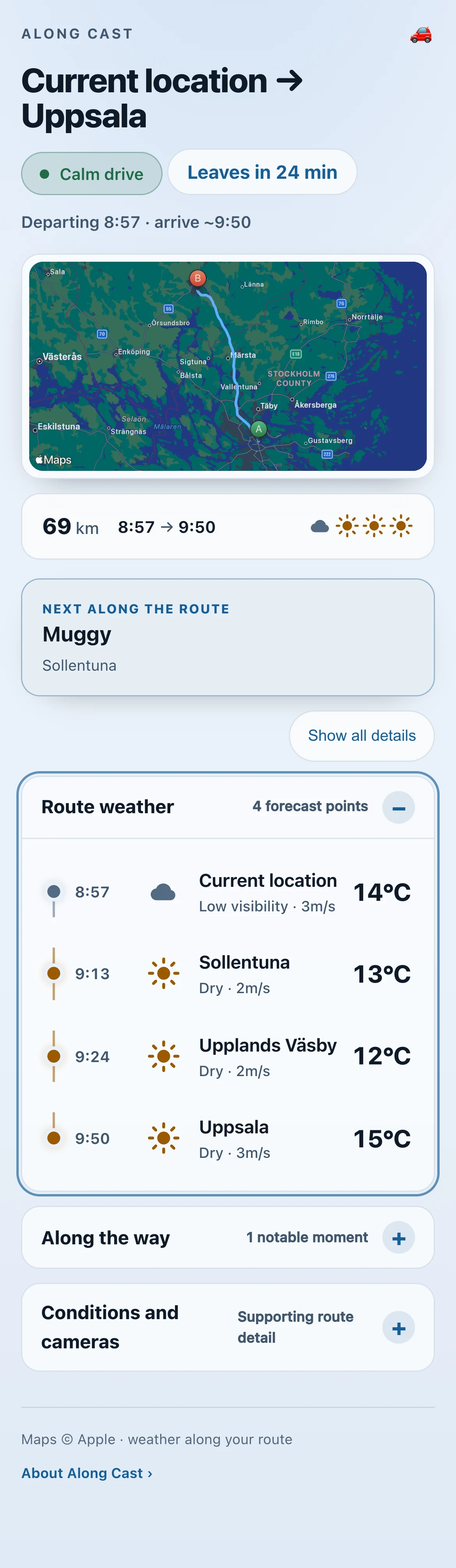 View screenshot
Good to know.
Where can I use Along Cast?
Route planning and forecasts depend on Apple Maps and weather coverage for your journey. Trafikverket road reports and cameras, and SMHI warnings, cover Sweden where available. Missing reports do not mean a road is clear.
Does it replace Apple Maps?
Along Cast helps you plan around the weather and see conditions along the route. Apple Maps handles turn-by-turn navigation and calculates its own route for the next leg.
What do I need?
An iPhone running iOS 26 or later, Apple’s TestFlight app, and an internet connection to fetch routes and forecasts. You can choose endpoints yourself; location permission is needed to use your current position and follow a trip.
Is the beta free?
Yes. The current TestFlight beta is free, and features may change between builds. The beta guide explains how to install and send feedback.
Will it automatically alert me before a trip?
Departure reminders and condition monitoring are separate. Automatic condition checks depend on service availability and a separate opt-in. Check the upcoming-trip card for the latest status; an upcoming trip alone does not mean monitoring is active.
Is my location shared automatically?
No. Creating a journey link and enabling live location are separate actions you choose. You can stop live sharing or revoke the link. Read the privacy details.
Product screenshots captured on 6 September 2026 using real Stockholm–Uppsala routes and provider forecasts. Planning screens show the updated timing and comparison controls. These are recorded conditions, not a current forecast. The available TestFlight build may differ. Forecasts and arrival estimates can change.
Try your next drive.
See it on a road you know.
Get the free iPhone betaiPhone · iOS 26+ · Available through TestFlight
Installation & beta guide ↗ Open TestFlight
Scan with your iPhone
and come along.